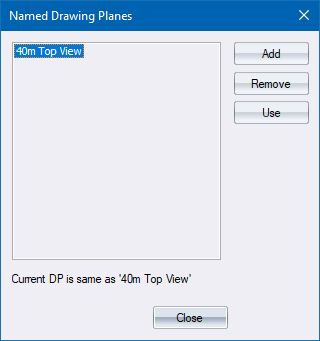
Manage named drawing planes in the drawing.
|
Option
|
Description |
|
List |
Displays a list of the named DPs in the drawing. Click a name to select it. |
|
Add button |
Click to add the current DP as a new named DP. |
|
Remove button |
Click to remove the selected DP from the list. |
|
Use button |
Click to set the current drawing DP to the selected DP's settings. |
 All settings take effect immediately and cannot be undone.